Byte EditorBuy

Features

Every feature,
one Rust core.

A guided tour through the shipping app, workspace by workspace: Files and File Projects, Journal, Canvas and Vault, then editing, languages, data, atmosphere, personalization and platform. Click any picture to see it at full size.

  • WindowsAvailable now
  • macOSAvailable now
  • LinuxComing soon
44Language modes
2GiB per file
10Typing effects
10Interface languages

Workspace: Files and File Projects

Loose files, whole folders, Git and servers.

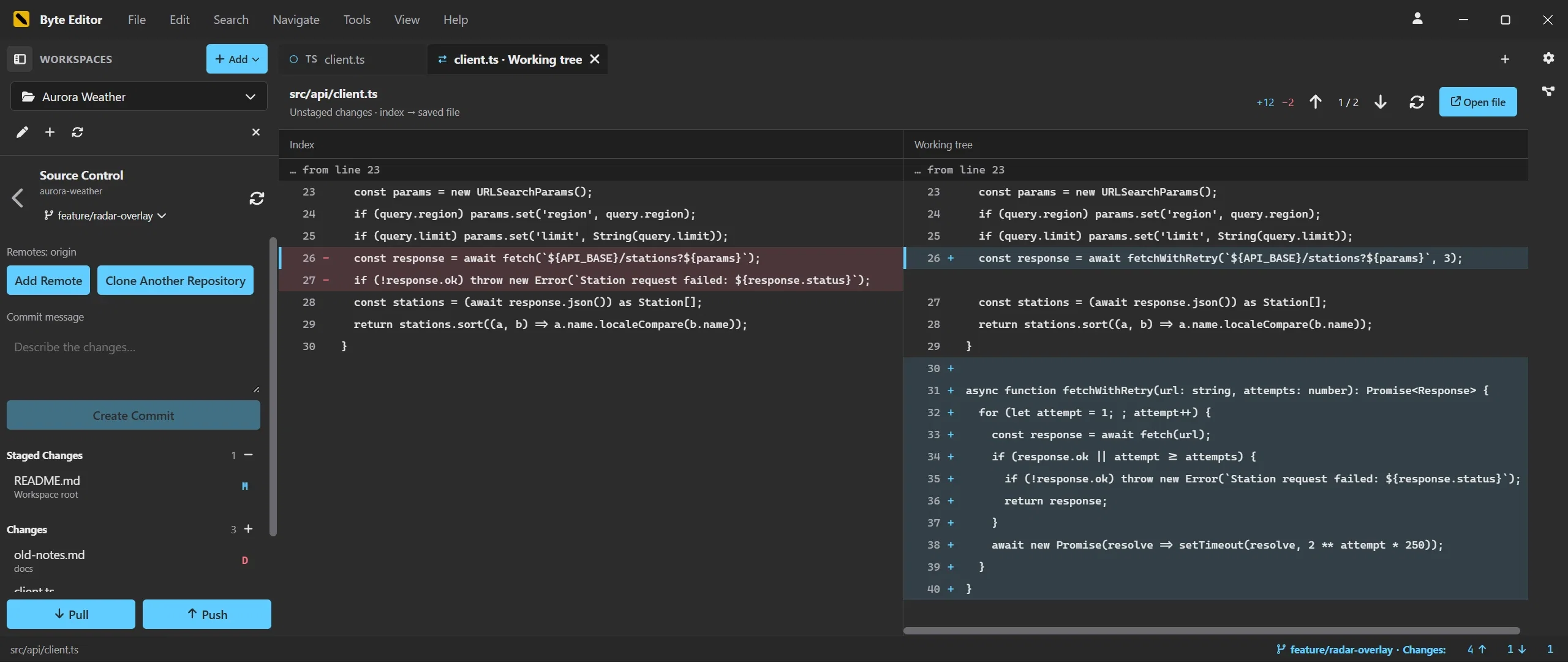
Files is the room for documents you open or drop in. A File Project adds a folder with its own tree, tabs, layout, search and Git. Both share the same editor, and a saved server connection can be the source of a project.

Source control panel and a working tree diff in Byte Editor

Files, without a folder

  • Drag and drop, several files at once
  • Recent Files with eight entries
  • New documents from 44 modes
  • Up to 48 open documents

File Projects

  • Live refresh on disk changes
  • Large folders load page by page
  • Own tabs, splits and search per project
  • Projects survive an unplugged drive

Git built in

  • Badges on changed files and folders
  • Side by side diffs with change navigation
  • Branches, staging, commits, pull and push
  • Loose files use their own repository

Remote workspaces

  • SFTP with password or key file
  • FTPS with certificate checks
  • Verified uploads and permissions
  • Secrets in the operating system store

Search and replace across the workspace

  • Regular expressions with capture groups
  • Include and exclude globs
  • Reviewed replace, hit by hit
  • One undo transaction per document

Sessions and recovery

  • Open tabs and unsaved text restored
  • Relink or check again for missing folders
  • Drafts survive an unplugged drive
  • Outside changes reload, your edits stay

Workspace: Journal

A diary that lives in your own folder.

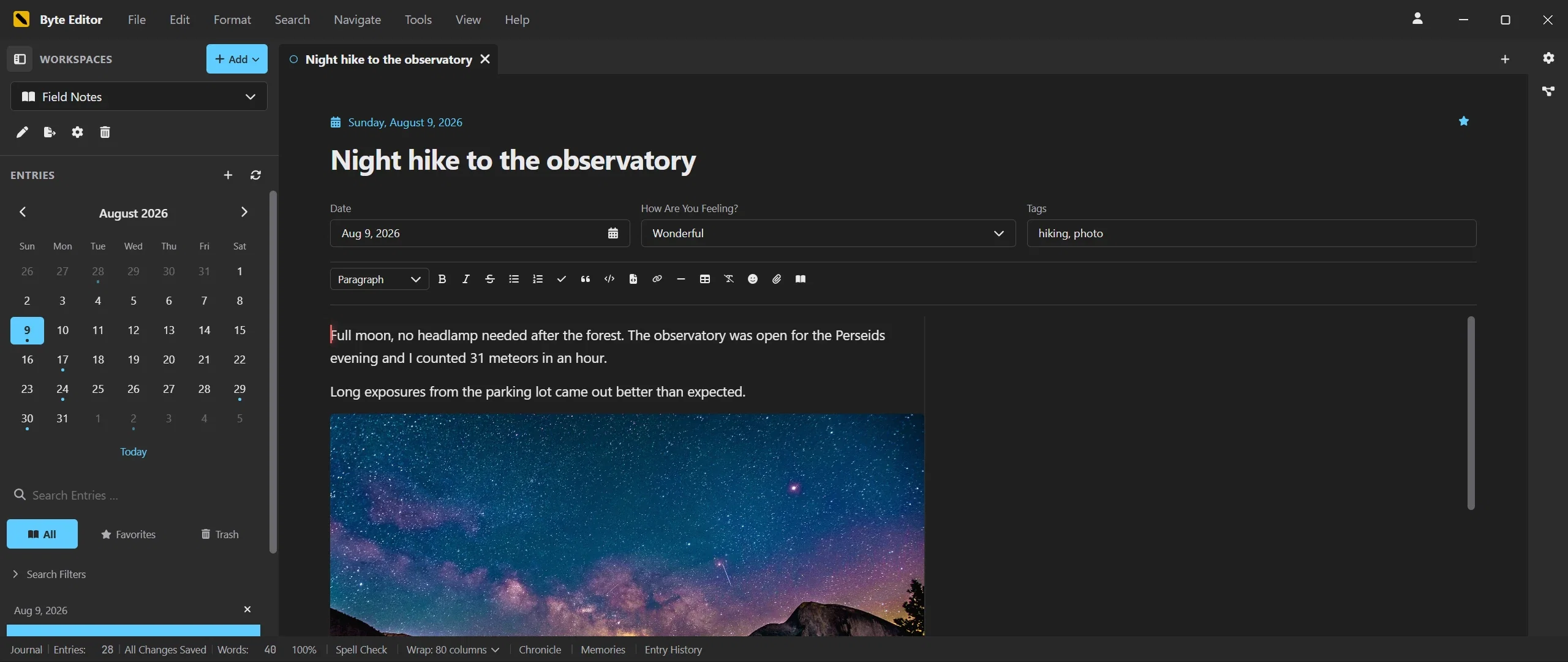
A journal is a local workspace of Markdown files, written with the same editor, effects and companions as everything else. Calendar, tags, mood and search find any day again; history and archives make sure nothing is lost.

A journal entry with calendar, mood and tags in Byte Editor

Write formatted, keep Markdown

  • Formatted view and source, shared undo
  • Title, date, mood, tags, favorite
  • Autosave with visible status
  • Word count per entry

Calendar, search and filters

  • Calendar with localized week starts
  • Full text search with excerpts
  • Filters for mood, tags, favorites, images
  • Several entries per day

Chronicle and Memories

  • Chronicle timeline as a dockable tab
  • On This Day and Random Memory
  • Activity and mood calendar
  • Month selector, newest or oldest first

Entry History

  • Automatic versions within five minutes
  • Named checkpoints
  • Comparison before restore
  • Up to 40 versions or 8 MiB per entry

Attachments and links

  • Images up to 2 MiB inline, attachments up to 8 MiB
  • Links between entries with [[Title]]
  • Ctrl click to follow
  • Journal volume in the 3D graph

Trash, archives and moves

  • Trash with restore
  • .bejournal export and import
  • Verified move to another folder
  • Plain Markdown files with front matter

Workspace: Canvas

Boards for notes, code, media and websites.

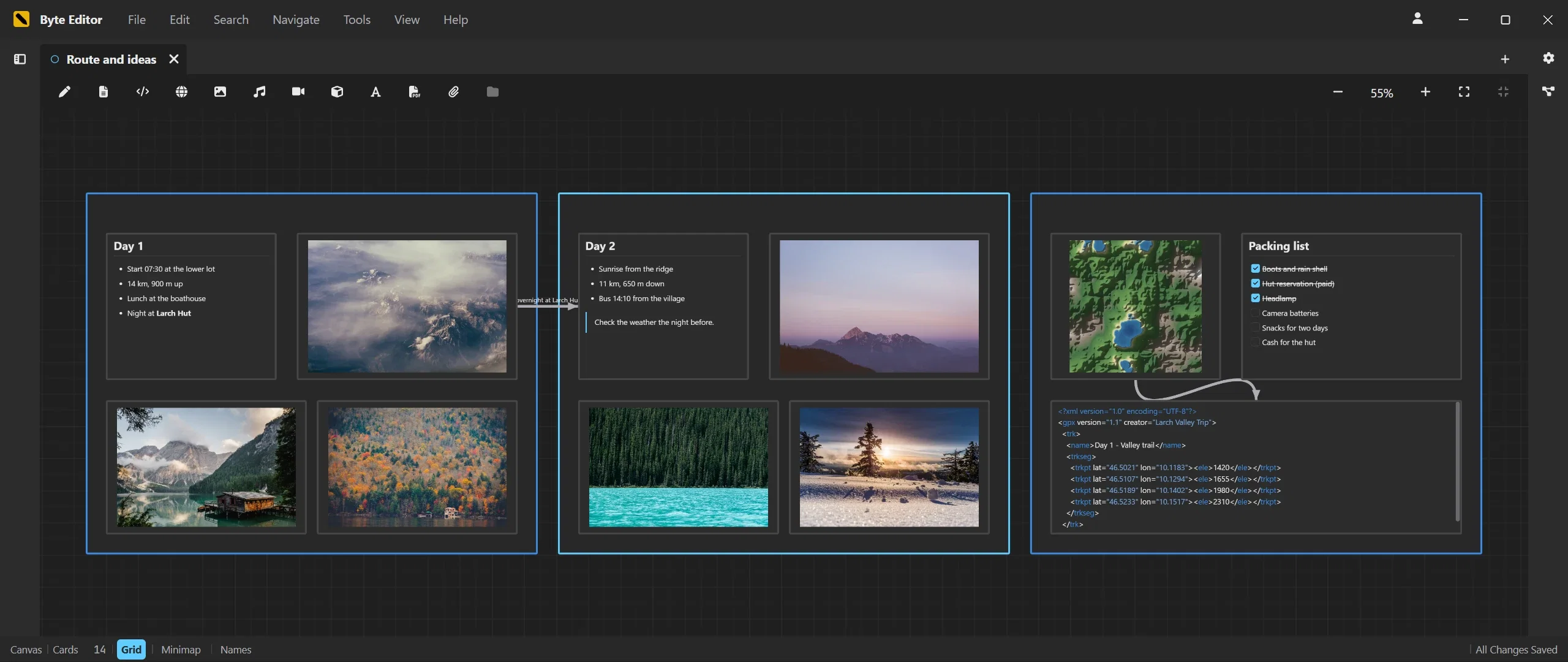
A Canvas workspace is a folder with up to 500 boards. Cards are real files in the open JSON Canvas format, every gesture is one undo step, and boards open as tabs that dock and split like documents.

A canvas board with grouped notes, photos and a packing list in Byte Editor

Notes and text

  • Formatted Markdown notes up to 2.1 million characters
  • Plain text cards
  • Text imports become editable cards
  • Typing effects on the board

Code cards

  • 44 languages with syntax colors
  • Format and check on the card
  • Language selector in the toolbar
  • Stored as text nodes with versioned metadata

Media, 3D, fonts and PDF

  • Images and SVG up to 8 MiB
  • Audio and video with range streaming
  • GLB, VOX and OBJ with mouse navigation
  • PDF viewer with page selection and passwords

Live websites

  • Public URLs and local dev servers
  • Sandboxed frame
  • Double click to interact, Escape to leave
  • Open in Browser as fallback

Connections and groups

  • Four ports per card, arrowheads into the target
  • Reconnect and detach by dragging
  • Groups with their own color
  • Duplicate a selection with its connections

Navigation and portability

  • Overview mode below 40 percent
  • Grid with four levels and a minimap
  • Fit Board and Fit Selection
  • .becanvas export and import

Workspace: Vault

Passwords and private files, encrypted on your disk.

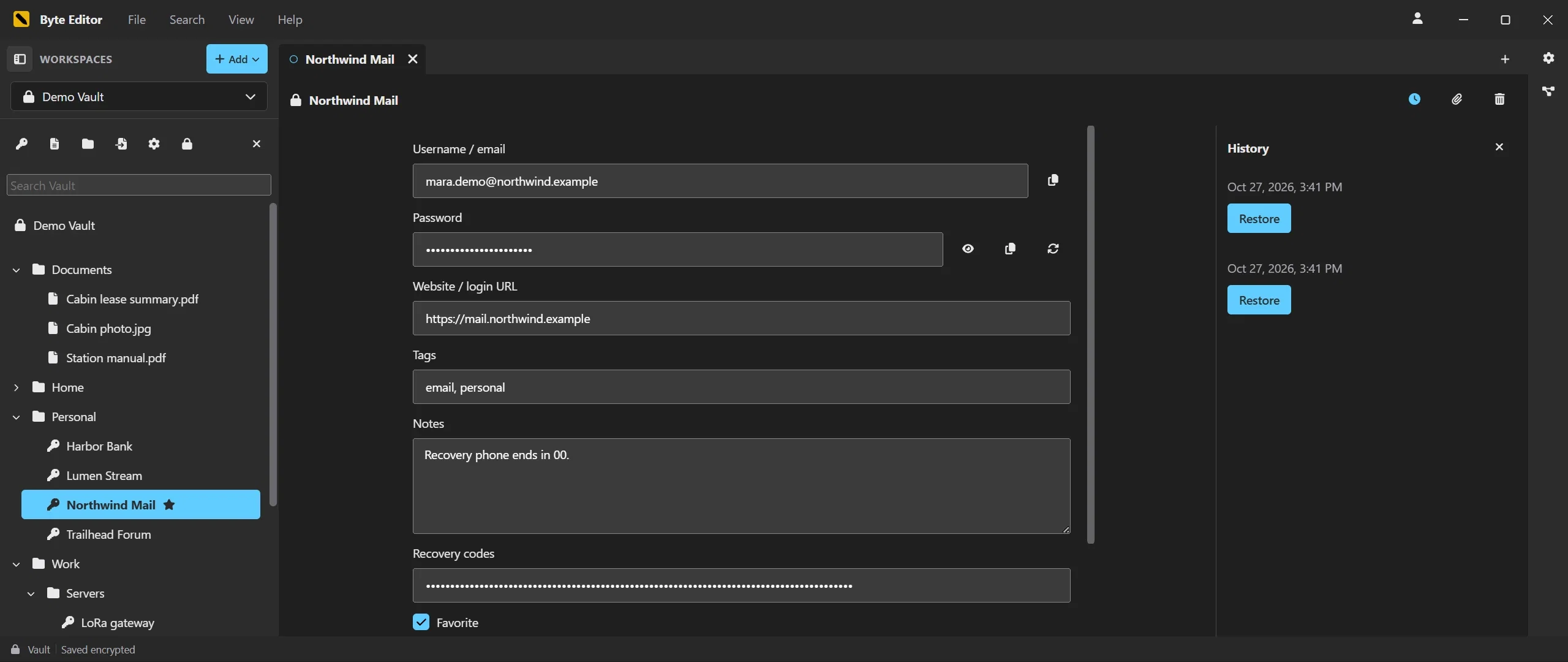
A Vault is an encrypted workspace in a single file that you keep wherever you like. Password entries, secure notes and private files sit in folders, open in the same editor and previews as everything else, and lock themselves when you step away. It needs no cloud and works independently of your BiteTheBytes account.

A password entry with version history in the Byte Editor vault

Encrypted in one file

  • AES 256 with authenticated pages
  • One portable .bevault file
  • Several vaults side by side
  • Independent of your account

Password entries

  • Reveal, copy and generate passwords
  • Copy usernames with one click
  • Recovery codes, tags and favorites
  • Imported fields kept, protected ones masked

Secure notes and private files

  • Secure notes in the editor
  • Drag and drop import, originals unchanged
  • Previews read from the encrypted store
  • Up to 64 GiB per file

Folders and search

  • Nested folders with drag and drop
  • Inline naming, F2 to rename
  • Search that never reads passwords
  • Up to 50,000 entries

Locks itself

  • Idle lock, five minutes by default
  • Locks with your computer
  • Clipboard cleared after 30 seconds
  • No plaintext in caches or recovery

History, backups and import

  • Encrypted versions with restore
  • Encrypted backups
  • Master password change
  • Import of HTML password exports

Editing

The daily loop, done properly.

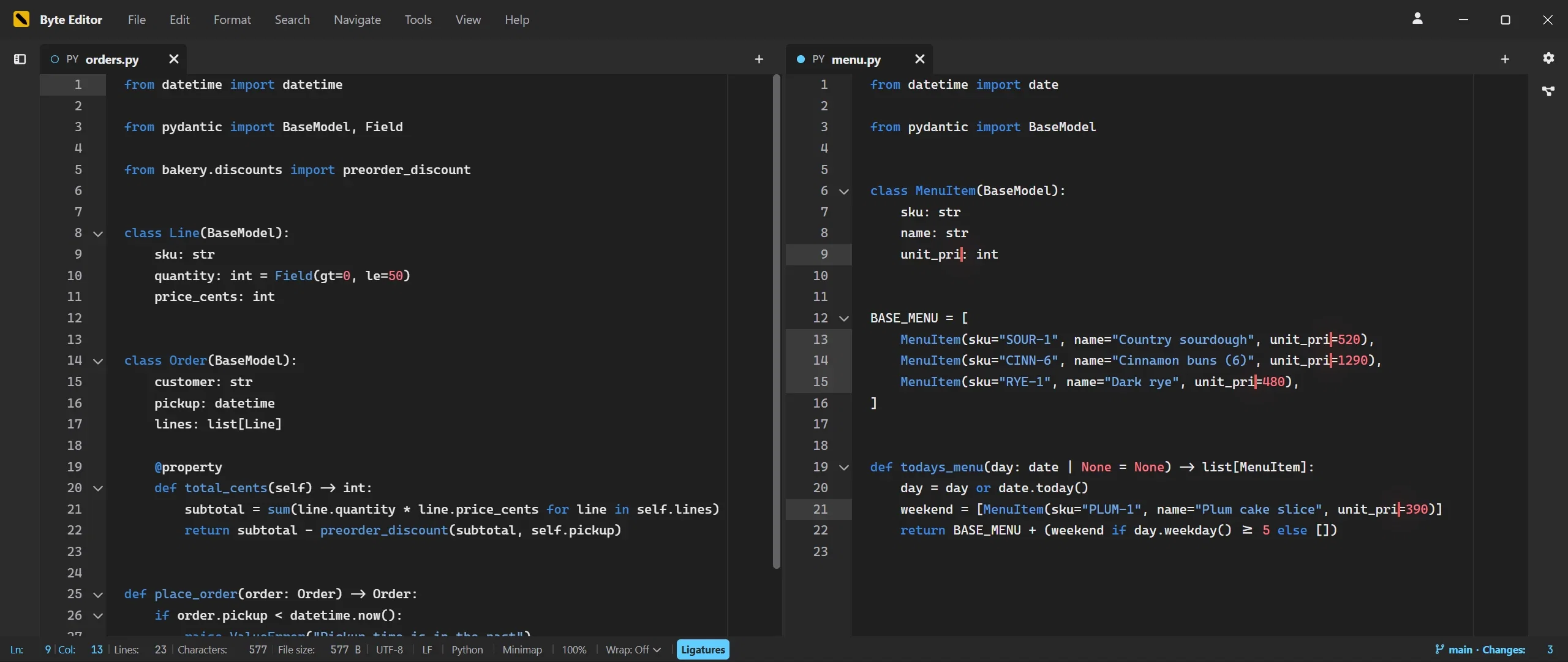
Tabs, splits, multi selection, a command palette and search that never blocks. Around it, the tools that save real time: formatters, converters, recipes, a local file history and an offline spell checker.

Two Python files side by side in Byte Editor

Multi and column selection

  • Multiple carets and column selection
  • Select next or all occurrences
  • Expand selection by syntax
  • Fold, indent and toggle comments

Command palette and shortcuts

  • Every command, keyboard filtered
  • Chord shortcuts with Ctrl+K
  • Menus that follow the workspace
  • Screenshots with F12 and F11

Splits and layouts

  • Docking by drag on any edge
  • Six layout presets
  • Duplicate View Right
  • Independent cursors, shared undo

Format and check

  • Format and Check Syntax for markup, code and config
  • Natural line sorting and deduplication
  • Case, whitespace and indentation tools
  • Wrap in Tag for HTML and XML

Converters, recipes and history

  • 20 converters in the Rust core
  • Quick Convert on up to 128 selections
  • Text Recipes with their own shortcuts
  • File History with named checkpoints

Spell check and emoji

  • Hunspell dictionaries, fully offline
  • Personal dictionary
  • Off by default, one switch in the status bar
  • Emoji picker for any UTF 8 text

Languages and Markdown

44 modes, formatted Markdown and notes that know each other.

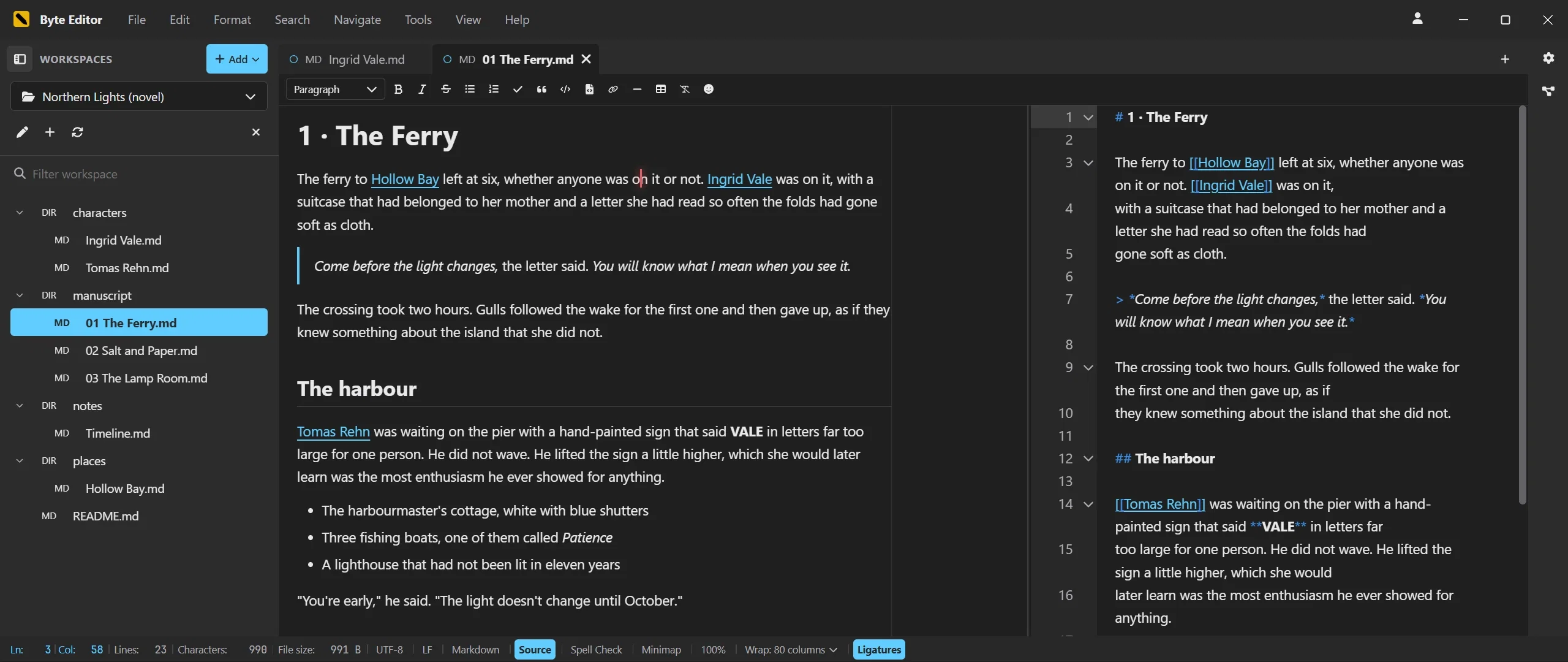
Every mode loads its parser on first use and brings syntax colors, indentation and comment rules. Markdown opens as formatted text with the source one toggle away, and Wiki links turn a folder into a web of notes with a 3D graph.

Formatted Markdown next to its source in Byte Editor

44 document modes

  • Web, templates, stylesheets, scripting
  • Systems languages, assembly, Swift, Lua
  • JSON, YAML, TOML, INI, .env, XML
  • Special names such as Makefile and .bashrc

Markdown as formatted text

  • CommonMark with tables, task lists, strikethrough
  • Source pane beside the formatted view
  • Shared undo, bookmarks, source line gutter
  • Preview rendered in a worker and sanitized

Table tools

  • Grid picker for new tables
  • Rows and columns above, below, before, after
  • Column alignment
  • One toolbar on every Markdown surface

Wiki links that stay intact

  • Suggestions after [[ and #
  • Ctrl click to follow
  • Renames rewrite references
  • Code and escaped syntax never touched

A 3D graph of your workspaces

  • WebGPU with WebGL2 fallback
  • Every registered workspace in one view
  • Index built in the background
  • Double click opens the document

Print and PDF export

  • One preview for printer and PDF
  • Paper size, margins, scale, page ranges
  • Markdown rendered or as source
  • Selectable text in the PDF

Large files, bytes and previews

Built for the files that break other editors.

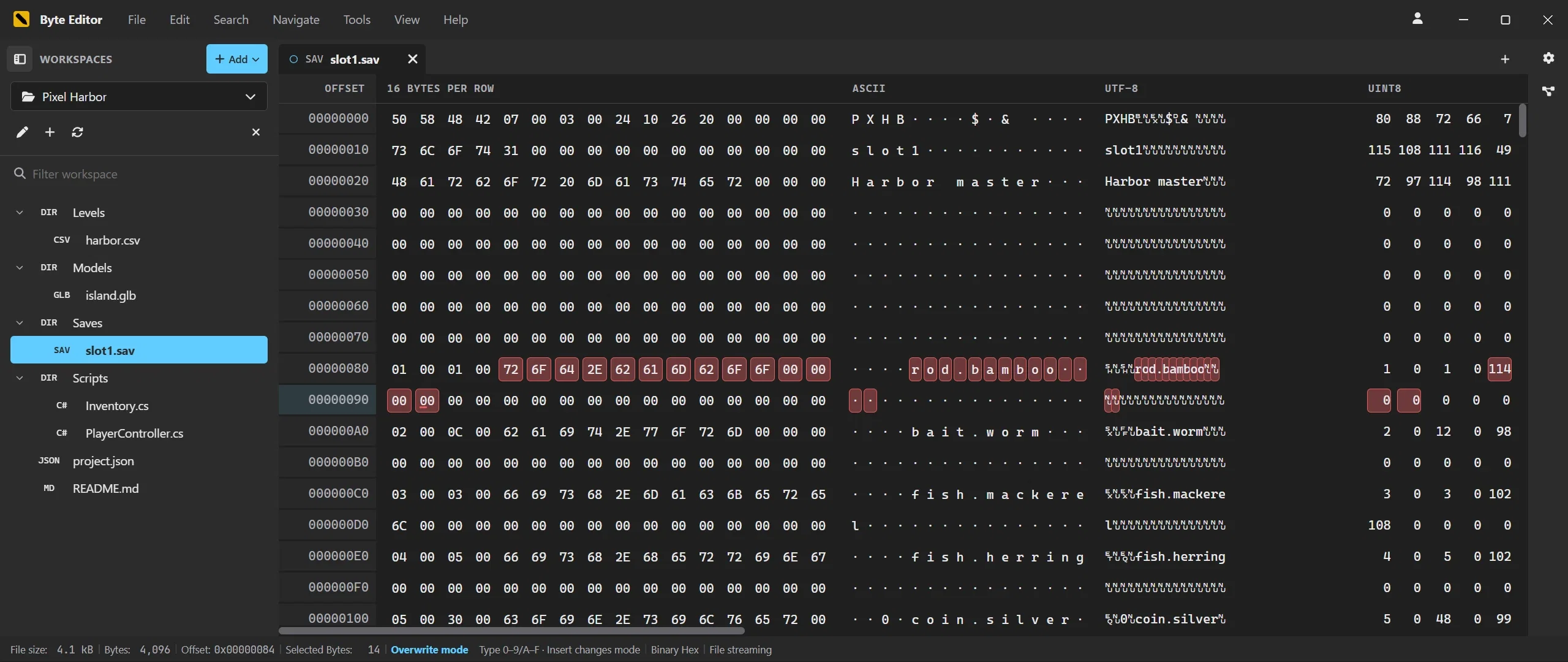
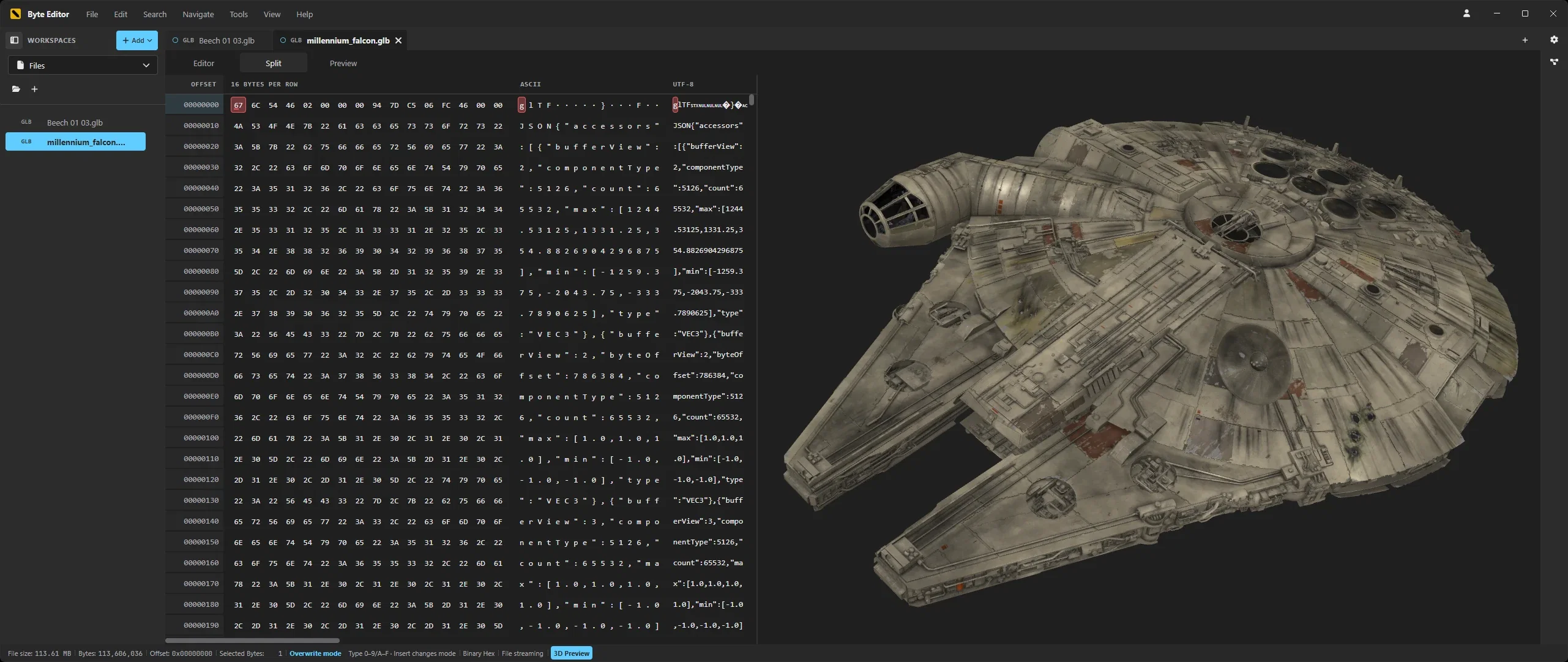
Text and binary files up to two gibibytes open straight from disk through bounded windows in the Rust core. CSV becomes a table, binaries a hex grid with byte interpretations, and media, 3D models, fonts, PDFs and heightmaps get a preview beside their bytes.

A binary save file in the hex view of Byte Editor

Windowed large text

  • Up to 2 GiB per file
  • Full document search, cancelable
  • Bulk replace as one undo step
  • Crash safe recovery journal

Hex editing

  • Inline hex and ASCII input
  • Insert, overwrite, delete
  • Hex search forwards and backwards
  • Byte offset bookmarks

Byte interpretations

  • UTF 8, uint8, int8 and bits beside ASCII
  • One selection across all columns
  • Inline value editing with validation
  • One byte transaction per edit
A GLB model in Split view with its bytes beside the 3D preview in Byte Editor

CSV and TSV as tables

  • Editable cells, movable columns
  • Filters and explicit Apply Sort
  • Virtualized rows
  • Up to 100,000 rows and 256 columns

Previews beside the bytes

  • PNG, JPEG, WebP, AVIF, SVG and PSD
  • Editor, Split or Preview per file
  • Audio and video from the live buffer
  • Web links open in the browser

3D, fonts and PDF

  • Eight 3D formats with mouse navigation
  • Font specimens for four formats
  • PDF pages with passwords
  • Background decoding, automatic unloading

Heightmaps as terrain

  • RAW, R8, R16, R32, HGT and EXR
  • Interpretation controls for raw data
  • Auto contrast and vertical flip
  • Split keeps every byte editable

Atmosphere

Typing that feels like something.

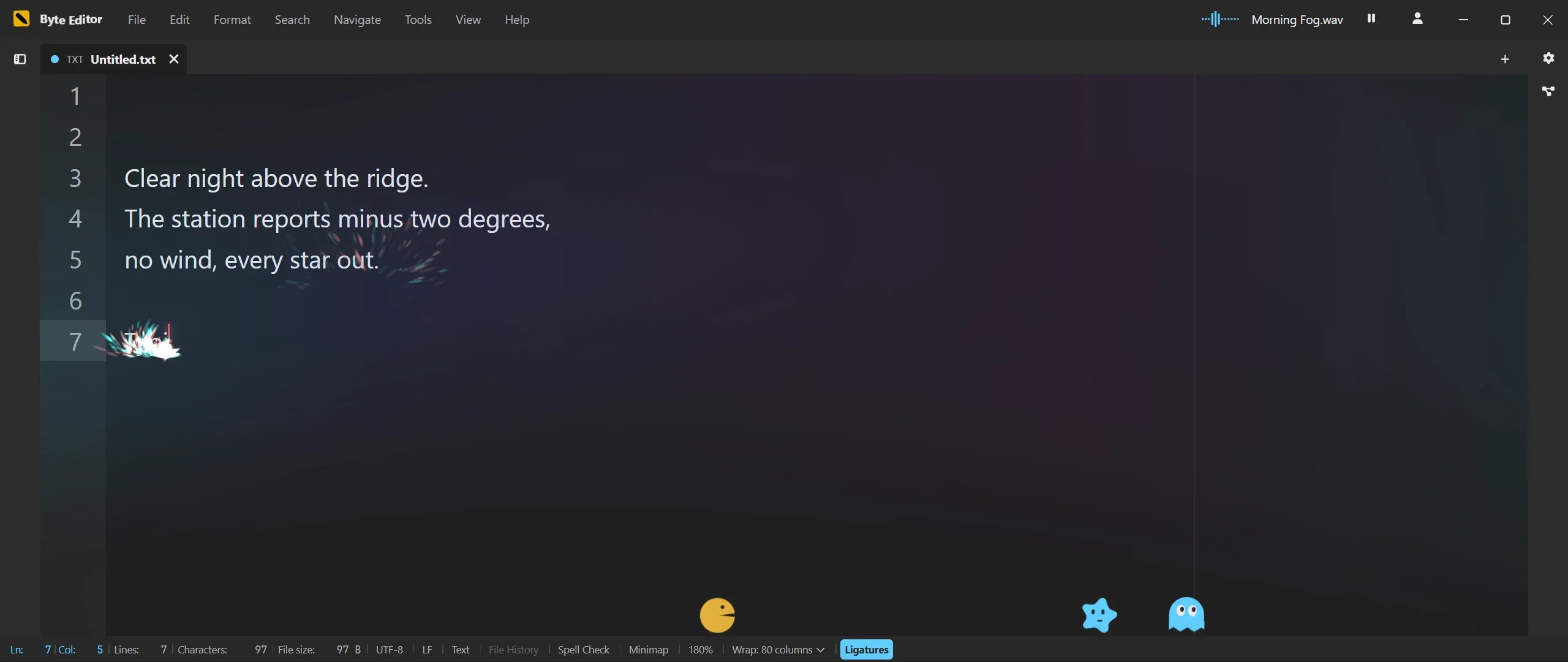
The expressive layer is what makes Byte Editor different: a transparent GPU canvas for particles, a small synthesizer for key sounds, screen effects per document type and companions on the status bar. All optional, all outside your document, all off when your system asks for reduced motion.

Typing effects and a music player over a dark document in Byte Editor

Ten typing effects

  • Intensity, density, lifetime, speed
  • Gravity and landing on text
  • Deletion shatter
  • Adaptive quality budgets

Pointer effects

  • Trail intensity, length, speed response
  • Click effect
  • Document area or entire application
  • Colors from the typing effect

Ten key sounds

  • Synthesized, no sample downloads
  • Brightness, impact, variation, stereo
  • Bounded voice count
  • Off by default

Screen effects and reactions

  • Ten animated backgrounds
  • Three overlays
  • Six typing reactions with strength and scope
  • Chosen per document family

Six companions

  • Outfits, colors, size and activity
  • Eat Selection and Spit It Back, with undo
  • Basketball with a movable hoop and score
  • The title bar icon as a toy

Your own decorations

  • Background, watermark or edge decoration
  • Per document family
  • Readability veil, blur and saturation
  • Up to 64 images, carried in profiles

Music

A music player for your own collection.

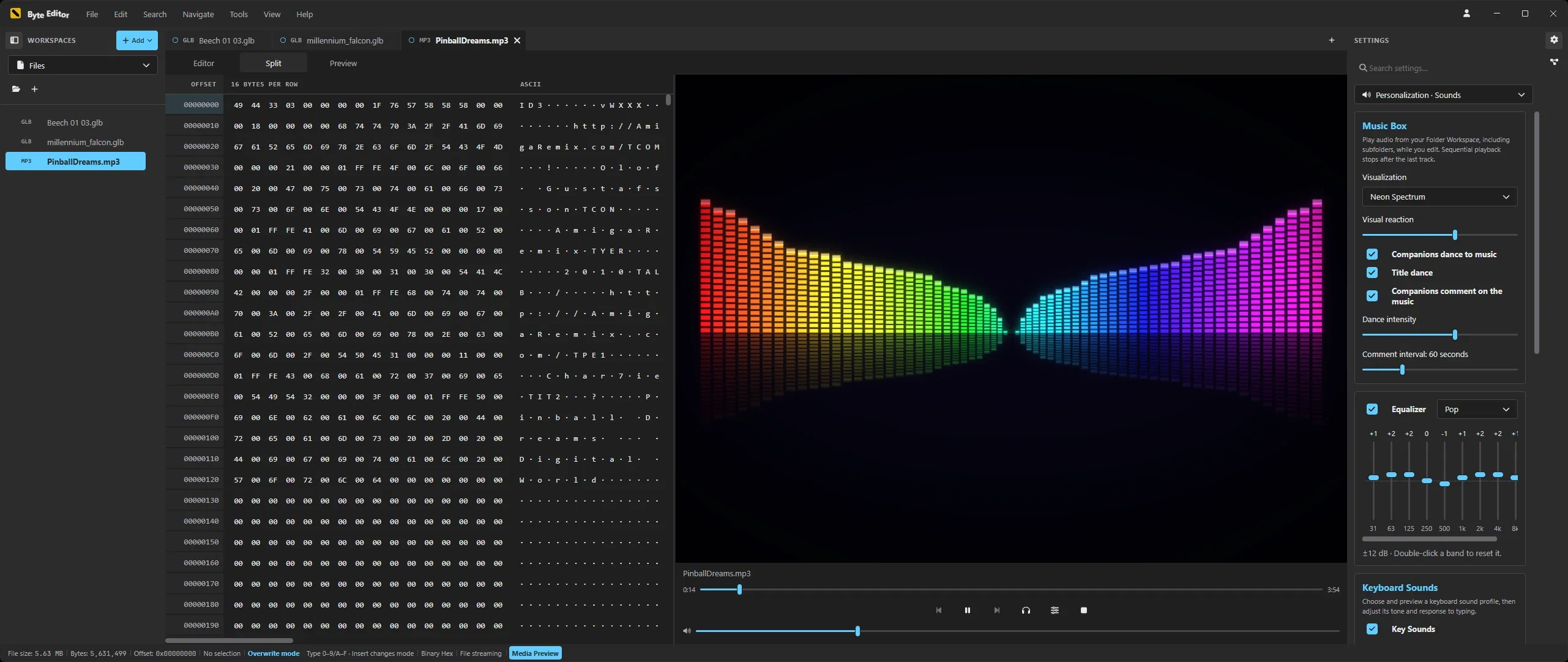
Open a folder of music and Byte Editor plays the whole collection while you work. The folder is the playlist, a compact player waits in the title bar, and a ten band equalizer and two visualizations come with it. It plays the music files you already have, straight from your disk.

An MP3 file in Split view with Neon Spectrum, playback controls and the Music Box settings in Byte Editor

Your folders are the playlist

  • MP3, AAC, FLAC, Ogg, Opus and WAV
  • Folder order, Shuffle or Repeat
  • Keeps playing across workspaces
  • Queue and controls in the title bar

Ten band equalizer

  • 31 Hz to 16 kHz, up to 12 dB
  • Presets plus your own curve
  • Automatic headroom
  • Saved in your profiles

Visualizer, window and fullscreen

  • Synth and Neon Spectrum
  • Window or fullscreen with F10
  • Dancing companions and title
  • Calmer with reduced motion

Personalization

Yours, down to the caret.

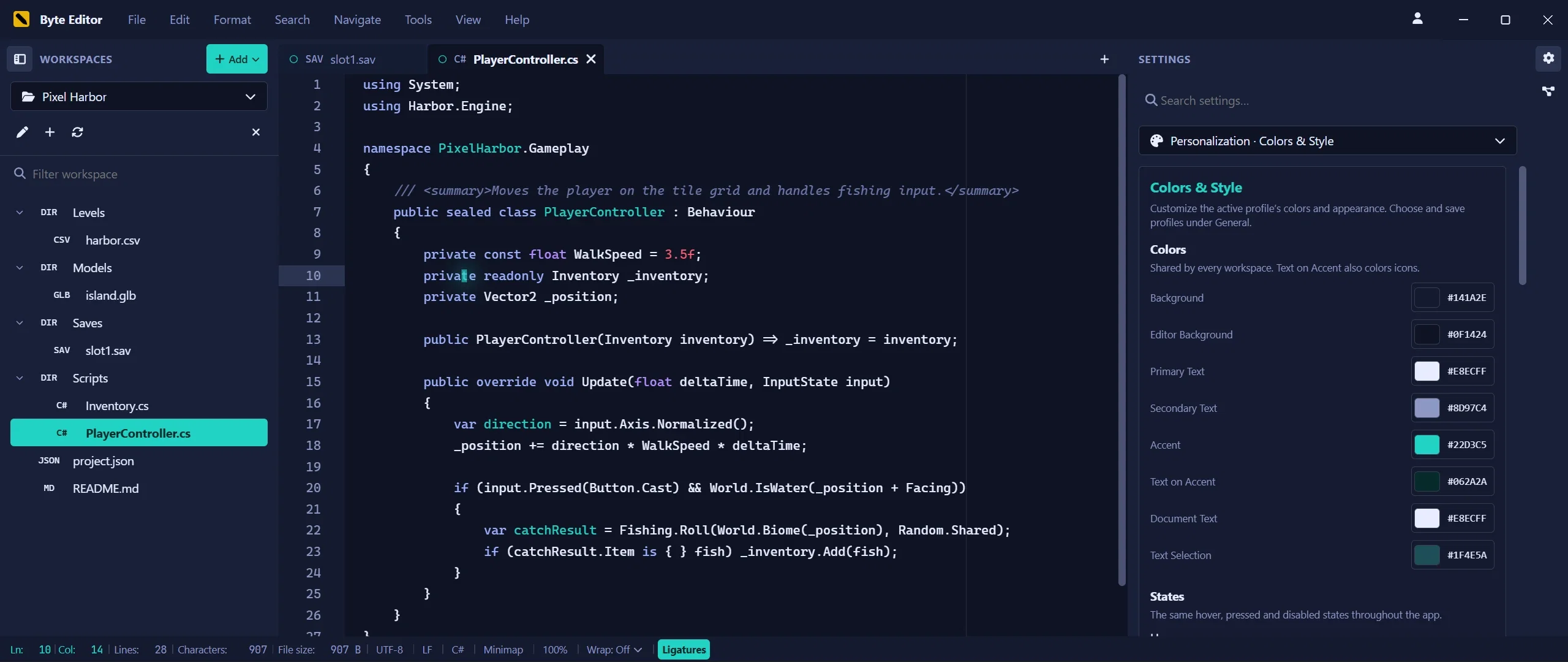
A Settings sidebar on the right with search, categories and undo. Profiles carry the complete setup between machines, the theme editor checks contrast for you, and every document remembers its own zoom.

Color and style settings of a personalization profile in Byte Editor

Profiles

  • Two built in, up to 64 of your own
  • Export and import as one JSON file
  • Background images travel along
  • Applied before the first frame at start

Theme editor with contrast checks

  • Nine palette roles
  • Syntax colors independent of the UI
  • 54 contrast controls
  • Rounding and spacing of the interface

Cursor and typography

  • Six caret shapes, four motions
  • Fonts from Cascadia Code to your own
  • Programming ligatures on or off
  • Column guide from 20 to 500

Document zoom

  • 50 to 400 percent in steps of 10
  • Remembered per document
  • Independent of the global font size
  • Works in Markdown, journals and Canvas cards

Ten interface languages

  • Ten complete catalogs, bundled
  • System Default or a fixed language
  • Plural forms per language
  • Keyboard reachable everywhere

Settings sidebar

  • Search with aliases
  • Undo and redo for settings
  • Off, Subtle or Lively animation
  • Reduced motion respected

Platform

Native on Windows and macOS, one Rust core, nothing phoning home.

Byte Editor ships as a native application for Windows on x64 and ARM64 and for macOS as a universal build on Intel and Apple Silicon, with Linux coming soon. Documents, history and statistics live in a Rust core that runs as its own process; the interface never holds state the core cannot see.

Windows x64 and ARM64

  • Native x64 and ARM64 builds
  • EXE and MSI installers
  • Per user or per machine
  • Signed setup and application

macOS, universal

  • One universal build
  • Apple Silicon and Intel
  • Native macOS menu bar
  • Updates inside the app

A Rust core owns every document

  • Bounded undo history per document
  • Same behavior in text, hex and table views
  • Native process, WebAssembly for development
  • Integrity checked at start

Private and hardened

  • No telemetry, no analytics
  • Sandboxed renderer, Electron fuses
  • Hardened clipboard
  • Spell check and converters fully offline

Updates inside the app

  • Signed, verified packages
  • Stable or Beta channel
  • Automatic check optional
  • MSI installs in place, EXE via Downloads

Account based licensing

  • Two devices per license
  • 14 days offline between checks
  • Editing paused, never data lost
  • Device management in the app

Accessible and keyboard first

  • WCAG AA checked contrast
  • Keyboard reachable interactions
  • Reduced motion honored
  • Bindings shown in menus

FAQ

Frequently asked questions