Material CreatorBuy

Features

Every capability,
always editable.

A factual tour through the shipping app: graph authoring, node families, organic assets, channels and export, photo to PBR and import, the MCP server, rendering and the application itself. Every number on this page was read out of the shipping build. Click any picture to see it at full size.

  • WindowsAvailable now
  • macOSAvailable now
  • LinuxComing soon
281Nodes in the library
10PBR channels
65Tools over MCP
10UI languages

Graph authoring

A graph you can trust.

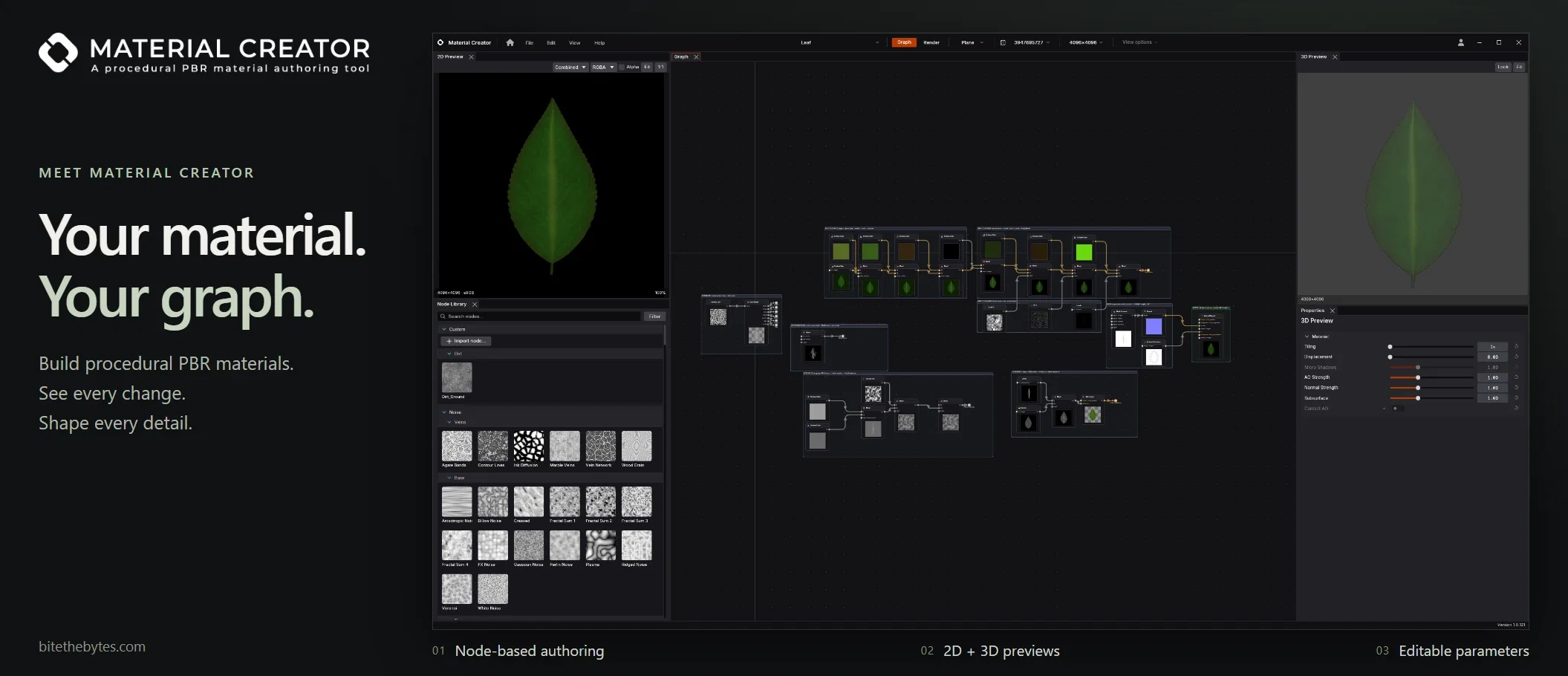
A material is always a live graph of connected nodes. Change a parameter three steps back and everything downstream updates, on the GPU, while you watch it on a mesh.

Material Creator workspace with node graph, node library, 2D and 3D previews and parameters

281 nodes, sorted the way you build

  • 281 nodes with more than 2,000 parameters
  • Searchable, Enter to place
  • Thumbnail and description for every node
  • Category colors you can change

A reference for every node

  • Every node and every property explained
  • F1, or a double click on a parameter
  • Search by effect, not only by name
  • Offline, in all ten languages

A canvas that helps

  • Tidy wire routing with flow arrows
  • Auto layout for the graph or a selection
  • Comment frames you can nest and rename
  • Broadcast links instead of long wires

Groups and custom nodes

  • Nestable subgraphs with breadcrumb
  • Published parameter interface
  • Instance parameters per copy
  • Custom node library, one JSON file per node

Parameters and variation

  • Gradient and curve editors
  • Pipette and gradient picker from the preview
  • Randomize, reset and own presets per node
  • Seed variations with Reroll

Handles in the 2D preview

  • Move, rotate and scale Transform 2D
  • Drag spline points and radius
  • Place linear, radial and angular gradients
  • Undo like any other edit

Several materials at once

  • Open materials side by side
  • Own file, save state and history each
  • Copy nodes from one to another
  • Only the active one is evaluated

Honest feedback

  • Visible loop rejection
  • Statistics overlay with frame time
  • Bypass a node, lock the preview to any node
  • 100 steps of undo and redo

Reference board

  • PNG, JPEG, TGA, WebP, BMP and GIF
  • Referenced by path, not embedded
  • Sample gradients from a reference
  • Readable over MCP

Node families

From base noise to a finished wall in one node.

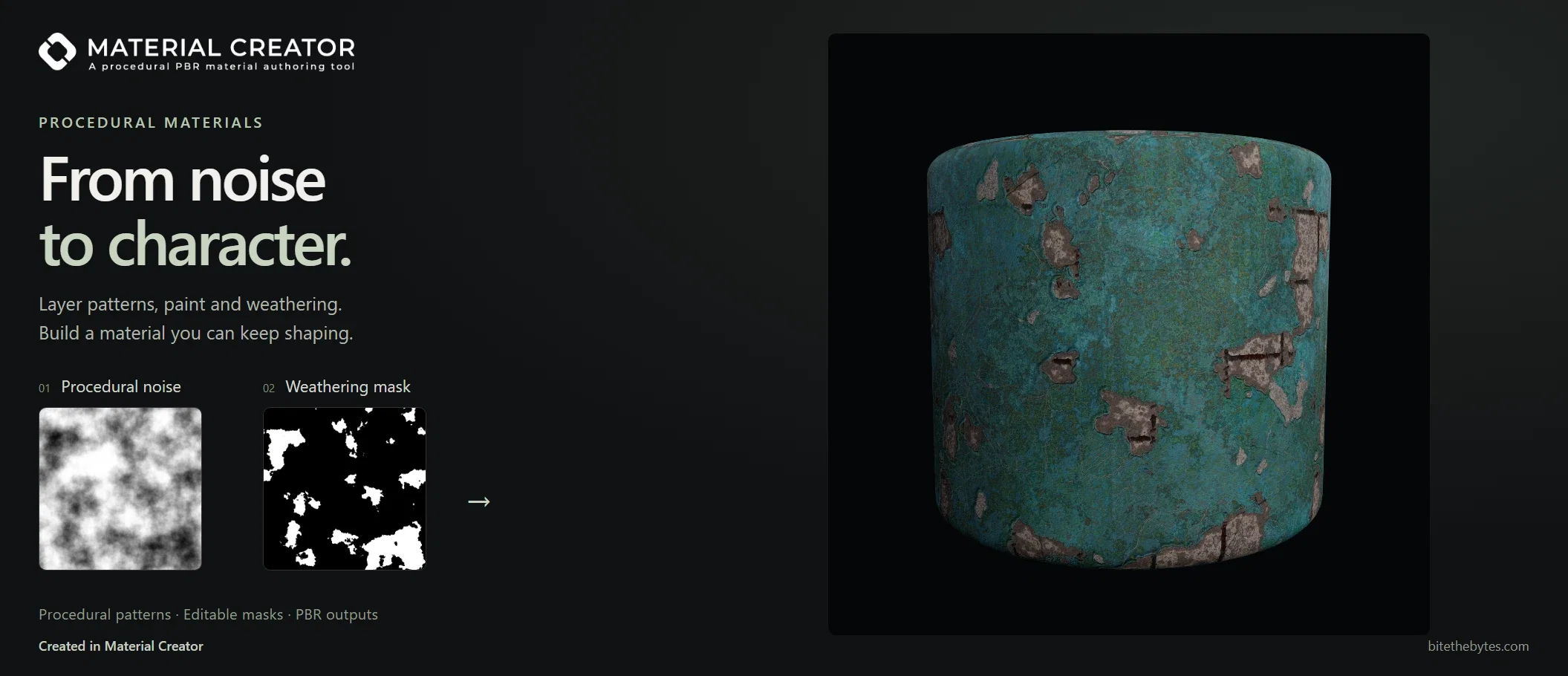
The catalog covers the whole build flow. Generators are seamless by construction, Smart Nodes deliver a believable surface from a single node, and a complete spline family and trim sheet tools cover the jobs other tools leave to bitmaps.

A procedural noise and a weathering mask turned into a weathered metal material

110 noises

  • Eleven noise families
  • Base, cells, clouds, dirt, fibers, grain
  • Liquids, organic, terrain, veins
  • Seamless by construction

Smart Nodes

  • More than 60 curated looks
  • Walls, bark, cliffs, rock, rope, fabric
  • Stone Generator for seamless stone beds
  • Every look stays fully parametric

Patterns, grunge and brushes

  • 19 pattern nodes
  • 17 grunge and wear layers
  • Brush Stroke with six media presets
  • Brush Stamp with four dab kinds

A complete spline family

  • Generate, edit, render, sample
  • Scatter and flow along a curve
  • Color and grayscale mappers
  • Warp and displace by curve

51 filters

  • Normal and AO in real world units
  • Normal, AO, curvature, bevel
  • Make it Tile, Hex Tile, Safe Transform
  • Glow, sharpen, edge detect, weathering

Blend, scatter and trim sheets

  • Layer Stack with eight layers
  • Tile Sampler, Tile Generator, Splatter
  • Flood fill family and a distance field
  • Trim sheets with up to eight bands

Organic assets

Foliage, hair and scatter, generated.

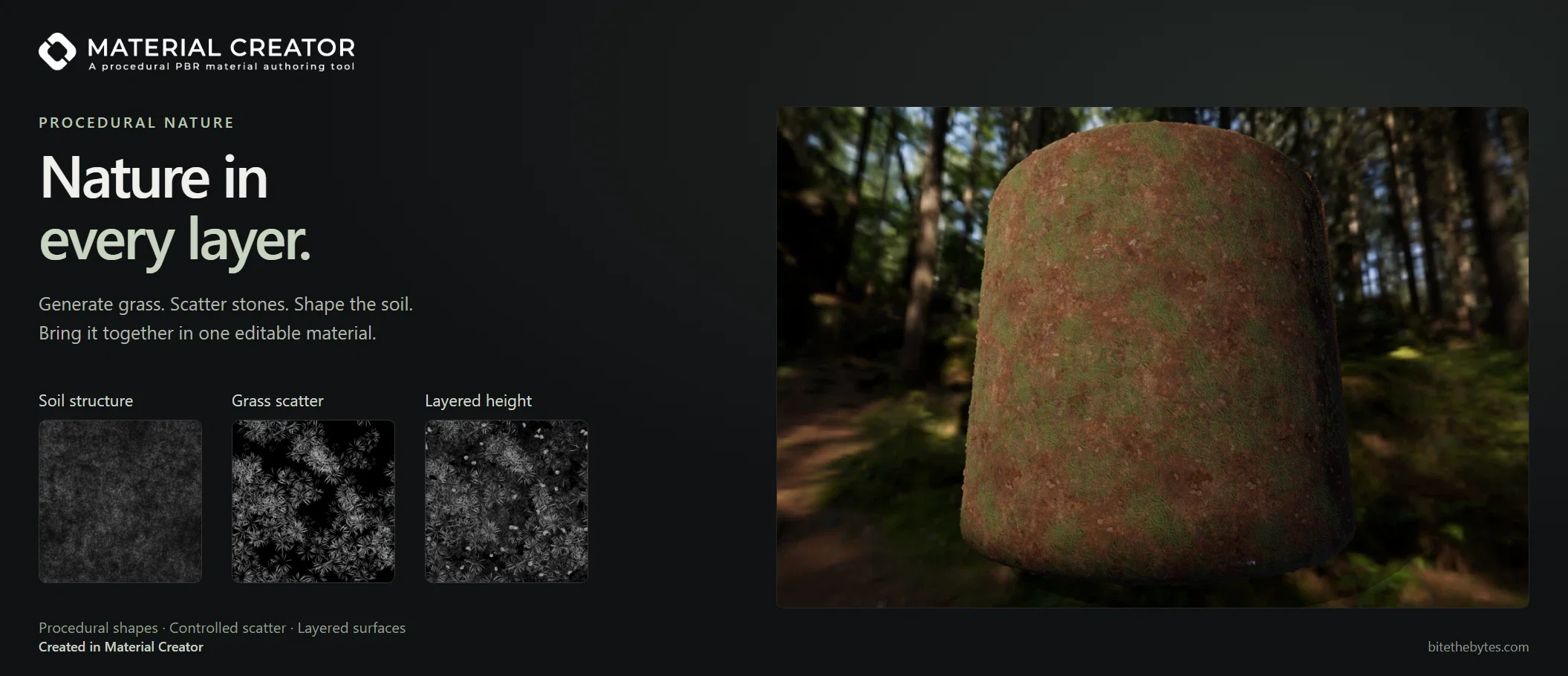
Procedural texturing tools are usually good at surfaces and weak at plants and hair, so artists end up buying atlases. Material Creator generates them, keeps them parametric, and gives them a real subsurface channel.

Soil structure, grass scatter and layered height combined into one nature material

Parametric leaves

  • Leaf with seven outputs including veins and cutout
  • 22 species presets
  • Lobes, spread, leaflets, droop
  • Subsurface output included

Grass and moss

  • Grass Blade and Maize Leaf
  • Moss with three looks
  • Bleed safe scatter mask
  • Grayscale color mask for your own palette

Light that passes through

  • Subsurface and thickness channels
  • Dedicated Subsurface node
  • Live in the 3D viewport
  • Exported as a color channel

Haircard pipeline

  • Strand, shading and atlas nodes
  • Alpha, height, masks and flow outputs
  • Gradient driven hair color
  • Subsurface and highlight outputs

Atlases in one node

  • Up to 16 hair cards per atlas
  • All channels packed together
  • Foliage Atlas with per input placement
  • Rebuilt whenever a parameter changes

Physics Scatter

  • Rigid body simulation in the graph
  • Deterministic and tileable
  • GLB, FBX and OBJ mesh import
  • Baked scenes cached on disk

Cloth simulation

Built under pressure.

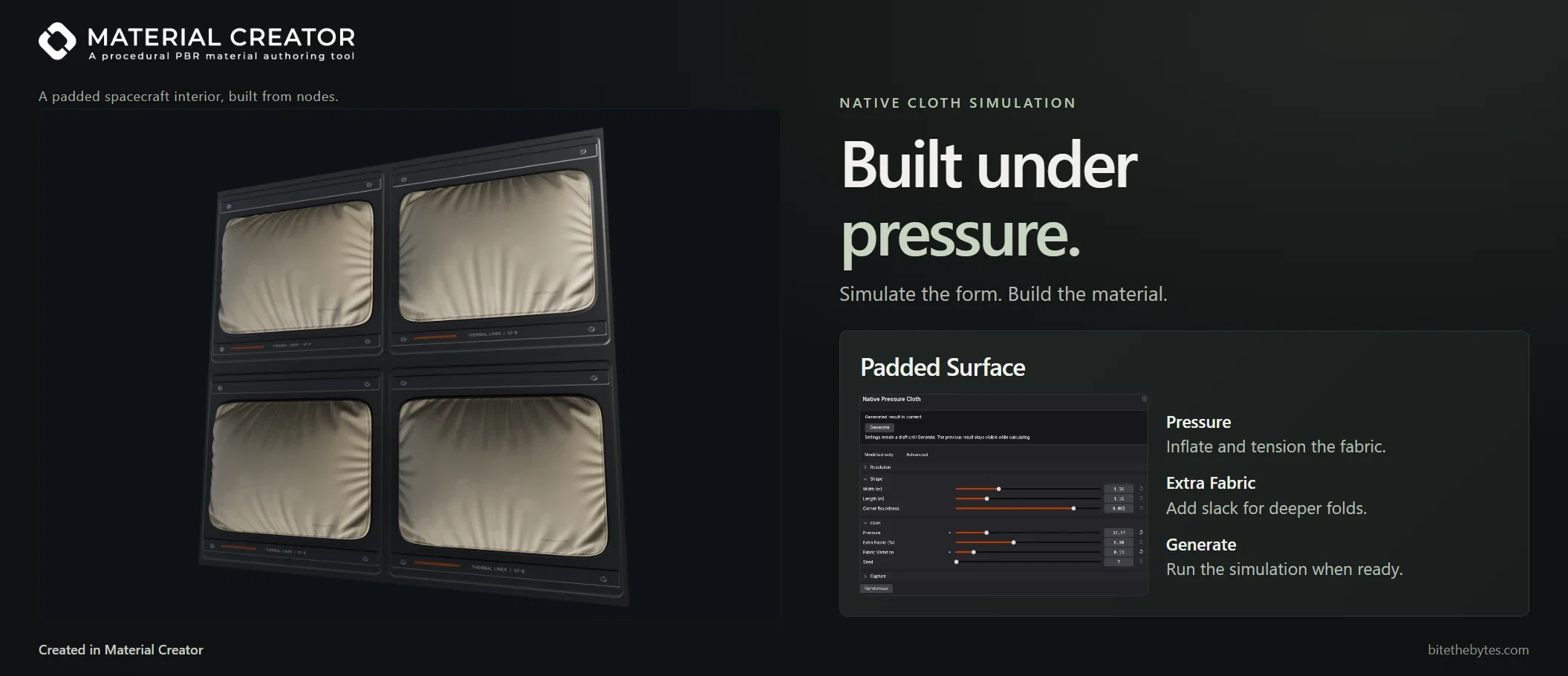
Simulate the form, then build the material. Padded Surface inflates cloth against a fixed edge and lets it settle, so folds, gathers and tension come from a native cloth solver instead of hand sculpted noise. You get height, masks and a normal to build the rest of the material on.

A padded spacecraft interior wall built from nodes, beside the Padded Surface settings

A native cloth solver

  • Pressure against a fixed edge
  • Stretch, shear and bend resistance
  • Surface density and damping
  • Unsettled results are rejected

Folds you can steer

  • Extra fabric in percent
  • Fabric variation against symmetry
  • More pressure, tighter cloth
  • New seed, same edge

Generate when you are ready

  • Settings stay a draft until Generate
  • Previous result stays visible
  • Cancel a running job
  • Geometry saved in the project

Five outputs to build on

  • Height in physical units
  • Silhouette mask
  • Seam band for stitching
  • Folds mask and captured normal

Real world dimensions

  • Width and length in meters
  • Corner roundness
  • Tile size and height range in meters
  • No automatic normalization

From cloth to finished material

  • Weave and stitch detail on top
  • Captured normal as the base
  • Ambient occlusion from the structure
  • Generate, status and cancel over MCP

Materials, channels and export

Ten channels, packed and exported your way.

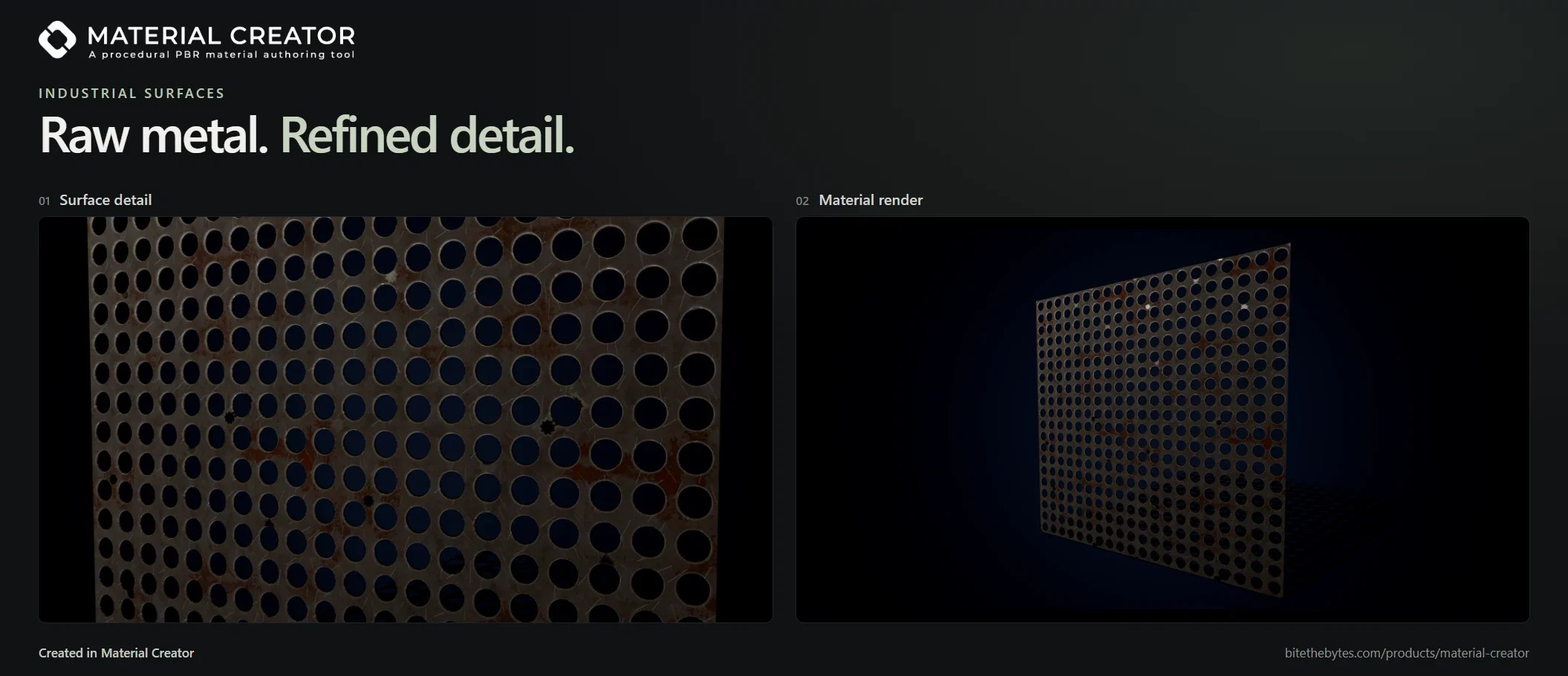
The output node is configurable, not fixed: add or remove channels, add packed maps as their own slots, choose bit depth and color space per slot, and save the whole setup as an export preset.

Perforated metal with surface detail beside its rendered material

Full PBR set

  • Ten channels
  • Subsurface and thickness included
  • Add or remove channels per material
  • The preview maps every slot correctly

Channel packing

  • ORM
  • Unity HDRP Mask Map
  • Metallic Smoothness
  • Custom packs with free channel mapping

Rectangular and per node resolution

  • 64 to 4096 px per axis
  • Square, wide and tall presets
  • Inherit, Relative or Absolute per node
  • Upscaling warning

Seamless by default

  • Wrapping on every node
  • Tile Sampler and Tile Generator
  • Make it Tile for photos and scans
  • Automated seam test

PNG, TGA and TIFF, 8 or 16 bit

  • PNG, TGA, TIFF
  • Bit depth and color space per slot
  • True 16 bit height
  • Background export with progress

Engine presets

  • Six engine presets
  • Correct normal Y convention
  • Reusable export presets
  • Two click overwrite warning with file count

Photo to PBR and import

Start from what you already have.

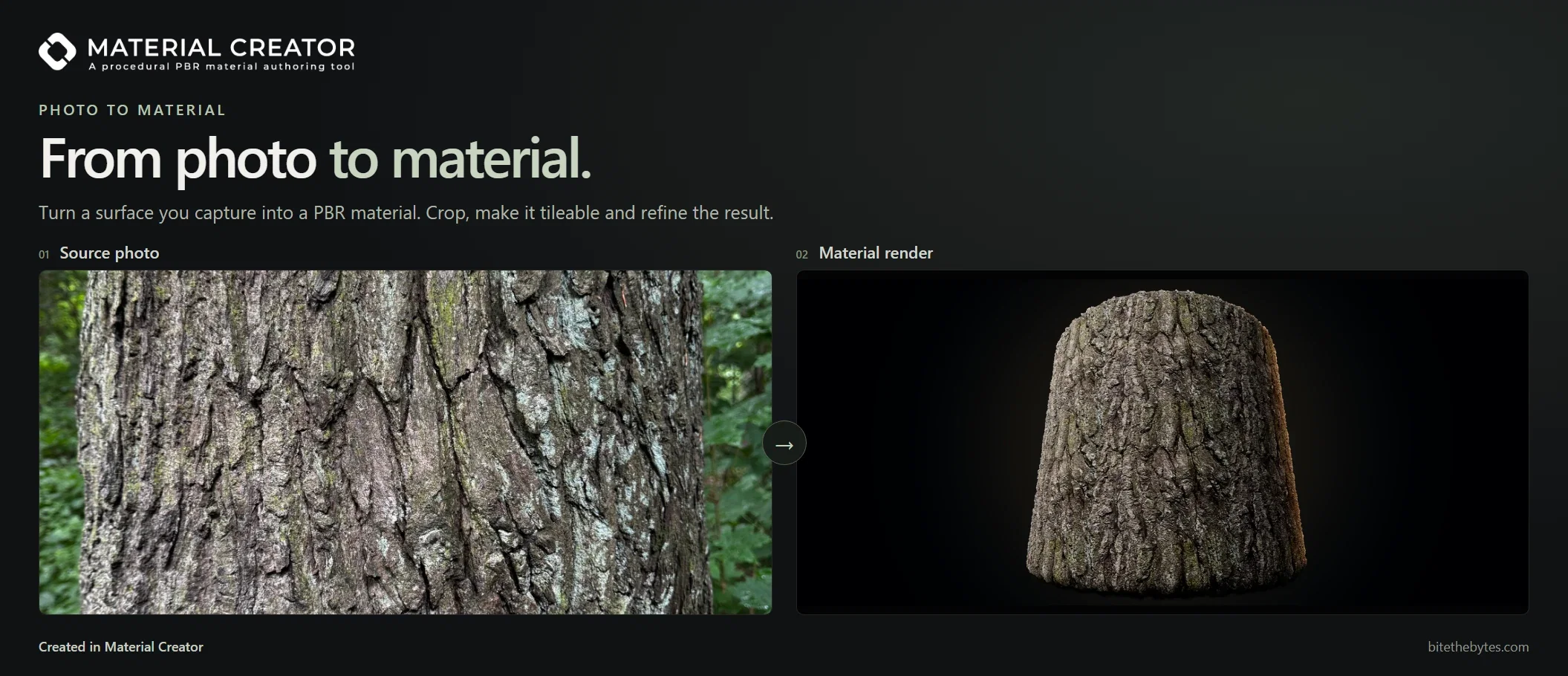
Turn a single photo into a full material, or bring an existing .sbs graph in as real, editable nodes. Either way the result is a graph you keep building on.

A photo of tree bark turned into a tileable PBR material

Six channels from one photo

  • One image in, six channels out
  • Height split into large forms and fine detail
  • Rotate, flip and crop the source
  • PNG, JPEG and TGA input

De lighting and seamless

  • De Light control
  • Seam width, feather and detail
  • Adjustable per material
  • No machine learning, no upload

A node, not a dead end

  • Channels stay live outputs
  • Mix photo and procedural detail
  • Replace single channels
  • Drive masks from the photo

.sbs import as a real graph

  • Structure preserved as groups
  • Multi graph packages as a pack
  • Bitmap and dependency resolution
  • Parameter expressions are interpreted

Honest fidelity reporting

  • Four fidelity classes per node
  • Markers with reasons on the canvas
  • Issue navigator with previous and next
  • Warnings for missing bitmaps and packages

Native .mcmat projects

  • One portable project file
  • Linked assets embedded
  • Earlier projects updated with a backup
  • Atomic writes

Built in MCP server

Your own AI client drives the live graph.

Material Creator ships an MCP server beside the app. Point any compatible client at it and work on the open graph by chat. No model ships with the app, nothing is hosted by BiteTheBytes, and provider, model and keys stay in your client.

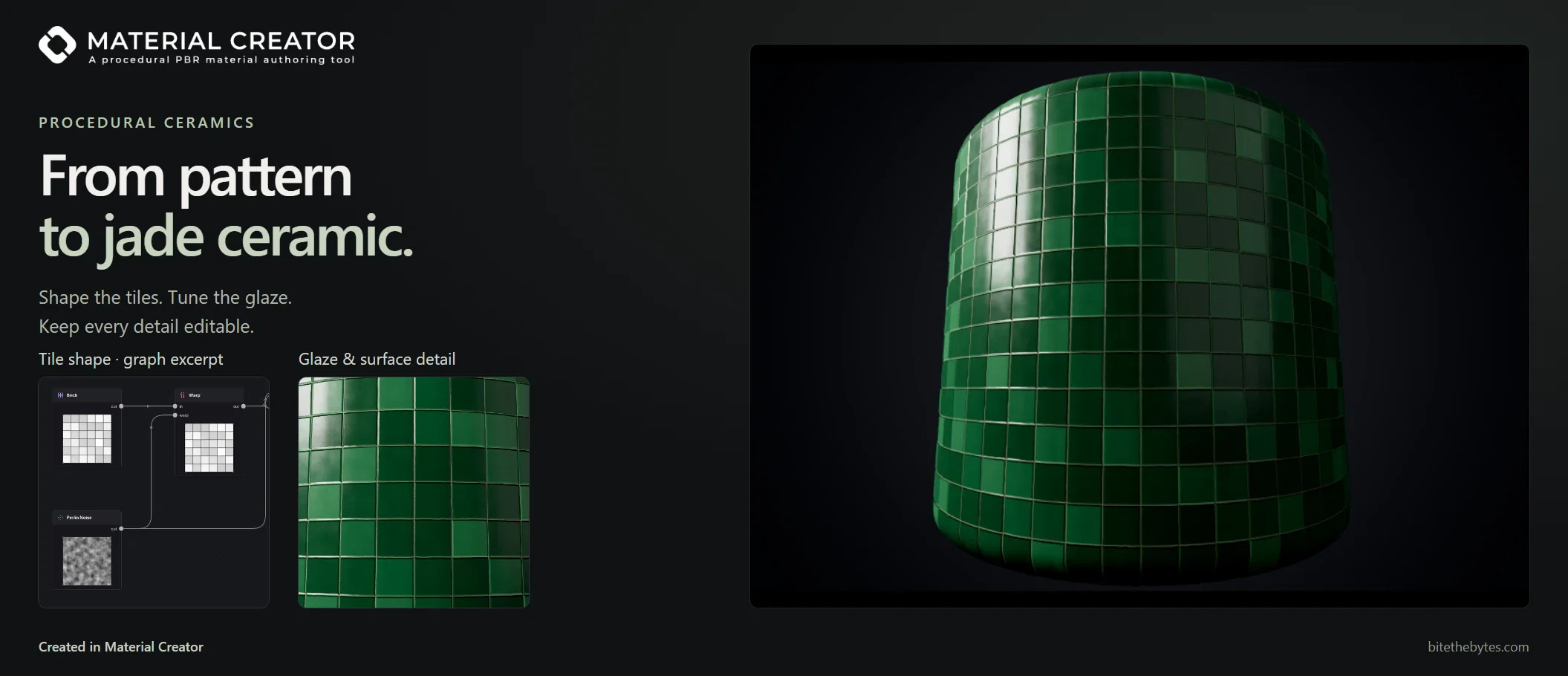
Tile shape graph excerpt and the jade ceramic material it creates

65 tools on the live app

  • Build and edit the open graph
  • Parameters, presets, resolution
  • Projects, undo, redo, autosave
  • Texture export by command

The client sees its work

  • Evaluate any node as an image
  • Screenshots of viewport, canvas or window
  • Studio renders on request
  • Frame the graph or the camera

Reference guided building

  • Boards as contact sheets
  • Single reference images on request
  • Reference materials to learn from
  • The result stays a normal graph

Lighting and render by chat

  • Mesh, camera and render settings
  • Lights and lighting setups
  • Shot recipes
  • Studio presets

Setup in one paste

  • Copyable client config
  • Standard input and output, no port
  • Commands bound to the running session
  • Works headless without the app

Your provider, your keys

  • No model ships with the app
  • No keys stored in the app
  • Local traffic between client and app
  • Every result stays editable

Preview, render and presentation

From material to marketing shot.

A live 2D preview and a real time 3D viewport sit beside the graph. The Render workspace adds studio lighting, environments, depth of field and the export of stills and turntables.

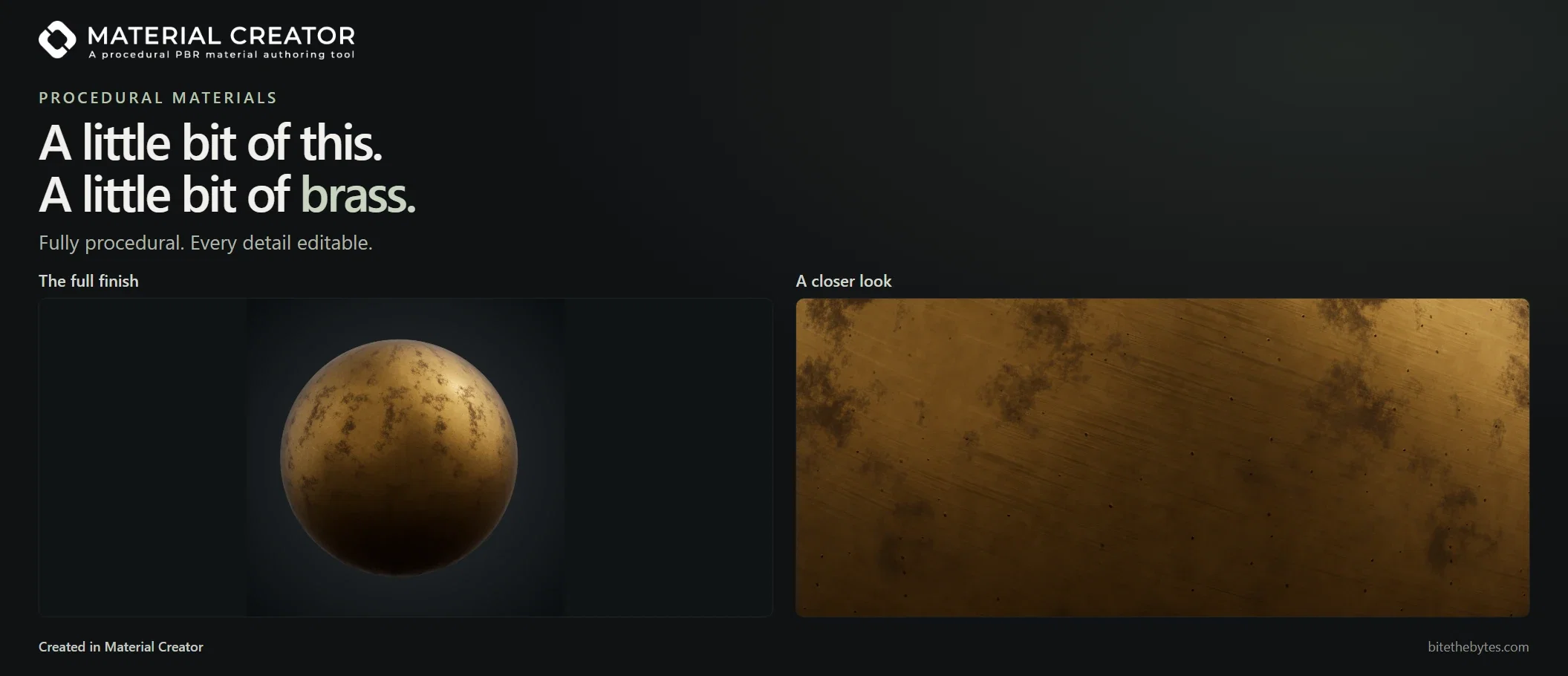
Procedural brass rendered on a sphere and in a close up

Live 2D and 3D preview

  • Four preview meshes
  • Real vertex displacement
  • Displacement, normal, AO and SSS strength
  • Detachable 2D and 3D windows

Render Image

  • Free size and aspect
  • Sample accumulation and supersampling
  • Edge avoiding denoiser
  • ACES or AgX tonemapping

Turntable export

  • PNG sequence and H.264 mp4
  • Own duration, speed and direction
  • Orbit camera or spinning object
  • Supersampled and denoised frames

Studio lighting

  • Four light types with gizmos
  • Color temperature or custom color
  • Seven lighting setups included
  • Save and load .mclight setups

Environment, backdrop and ground

  • Ten HDRI environments, plus your own
  • Four backdrop modes
  • Solid floor or shadow catcher
  • Environment rotation and intensity

Camera, focus and saved views

  • Perspective and orthographic
  • Depth of field with aperture
  • Camera View and composition grid
  • Saved views in the project

Application and platform

Native on Windows and macOS, fast to start, yours to shape.

Written in Rust and rendered through Vulkan, without Electron and without a game engine runtime. Material Creator ships as an MSI installer for Windows on x64 and ARM64, and a universal build for Apple Silicon and Intel Macs, with Linux coming soon.

Native, not a web wrapper

  • Rust and wgpu on Vulkan
  • Content addressed node cache
  • Draft resolution while dragging
  • MSI installers for x64 and ARM64
  • Universal macOS build with native menus

Home and templates

  • Recent materials with thumbnails
  • Project search
  • Four starter templates
  • Back to the graph with one click

Data safety

  • Sidecar autosave
  • Crash rescue snapshot
  • Atomic saves
  • Save errors with a next step

Themes, layouts and shortcuts

  • Dock, tab or detach every panel
  • Separate layouts for Graph and Render
  • Themes as .mctheme, settings as .mcsettings
  • 18 rebindable shortcuts

Ten interface languages

  • Ten complete translations
  • Full CJK font rendering
  • English node names everywhere
  • Reference in all ten languages

Updates, screenshots and licensing

  • Signed updates, Stable or Beta
  • F11 and F12 screenshots as lossless WebP
  • Two devices per license
  • 14 days offline between checks

FAQ

Frequently asked questions